
If you’ve spent any time scrolling through LinkedIn lately, you’ve probably seen those “gurus” claiming you need a $5,000 ergonomic setup and a hyper-disciplined five-a.m. ritual to be successful. Honestly? It’s exhausting. Most of those high-production remote work tips feel more like a performance than actual advice, and quite frankly, they ignore the reality of living in a world where your laundry is staring you down and your neighbor is currently using a leaf blower. I spent years in corporate consulting before making the leap to freelance life, and if there’s one thing I’ve learned, it’s that real productivity isn’t about expensive gadgets; it’s about managing your energy without losing your mind.
I’m not here to sell you on a lifestyle you can’t maintain. Instead, I want to share the small, practical shifts that actually helped me transition from a chaotic cubicle to a balanced freelance life. I’m talking about no-nonsense strategies—the kind you can actually implement between meetings—that focus on reclaiming your time and your sanity. Let’s skip the hype and dive into some genuine, tried-and-true ways to make your home office work for you, rather than against you.
Table of Contents
Home Office Setup Essentials for a Calmer Space
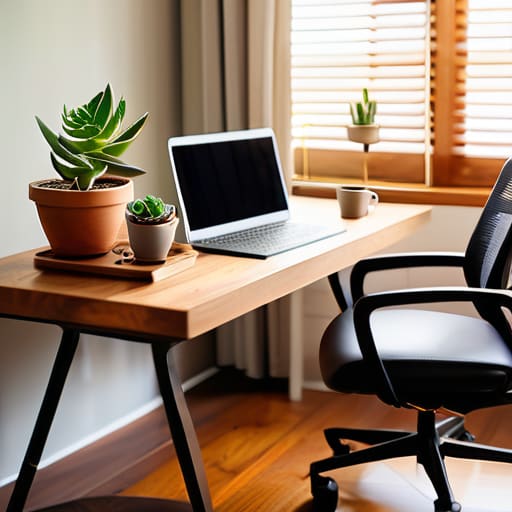
If you’re anything like me, your “office” might currently be a corner of your dining table or a precarious perch on your sofa. While that feels cozy for about twenty minutes, it eventually turns into a recipe for back pain and mental fog. To truly master home office setup essentials, I highly recommend investing in a decent ergonomic chair and, if your budget allows, a standing desk converter. I actually spent a whole weekend color-coding a spreadsheet to compare different models before I pulled the trigger, and let me tell you, that investment was a total game-changer for my focus.
Beyond the big furniture pieces, don’t underestimate the power of lighting and greenery. I love placing a small succulent near my monitor; it’s a tiny bit of nature that makes the screen time feel less clinical. Also, try to keep your workspace physically separate from where you relax. Creating that visual boundary is one of those underrated work-life balance for remote employees strategies that helps your brain actually switch off when the clock hits five. Trust me, your evening self will thank you!
Remote Work Productivity Hacks to Reclaim Your Focus
Once you’ve got your space sorted, the next hurdle is the mental one. We’ve all been there: you sit down to tackle a big project, but suddenly you’re three levels deep into a Wikipedia rabbit hole or staring blankly at a pile of laundry. To combat this, I’ve found that using the Pomodoro Technique—working in focused 25-minute sprints followed by a quick five-minute break—is a total game-changer. It’s one of my favorite remote work productivity hacks because it tricks your brain into staying on task without feeling like you’re trapped in a marathon.
Another thing that helps me stay sane is setting “hard stops” for my workday. When your office is also your living room, the lines get blurry fast, and suddenly you’re answering emails at 9 PM. Prioritizing work-life balance for remote employees isn’t just a buzzword; it’s a survival skill. I actually keep a color-coded digital calendar that marks exactly when my “work brain” shuts off. Once that timer hits, the laptop goes in a drawer, and I transition into my evening routine—usually something involving a new recipe and a glass of wine!
Five Tiny Shifts to Protect Your Peace (and Your Sanity)
- Set a “Hard Stop” Time. When your office is also your living room, the lines get blurry fast. I used to find myself answering emails at 9 PM just because my laptop was right there. Now, I have a ritual—closing the laptop and physically moving it to a drawer—to tell my brain that the workday is officially over.
- Master the Art of the “Micro-Break.” Instead of scrolling through social media (which actually drains your brain more!), try a five-minute reset. Step onto your balcony, stretch, or even just make a quick cup of tea. These tiny pauses prevent that mid-afternoon burnout from hitting like a freight train.
- Use a “Focus Playlist” to Signal Deep Work. I’m a huge fan of using specific sounds to trigger a productivity state. Whether it’s lo-fi beats or some ambient cafe noise, putting on the same playlist every time you need to grind helps your brain switch into “work mode” without the mental friction.
- Schedule Your Social Interaction. Remote work can get lonely, and I’ve definitely had days where the only “person” I talked to was my sourdough starter. Try scheduling a quick coffee chat or a midday walk with a friend. It keeps you feeling connected and prevents that isolated, cabin-fever feeling.
- Prep Your “Tomorrow List” Before You Log Off. Before I shut down for the evening, I spend five minutes jotting down my top three priorities for the next day. It’s like a brain dump that prevents me from lying awake at night worrying about everything I forgot to do. Plus, it makes hitting the ground running so much easier!
Quick Wins for Your Remote Work Toolkit
Remember that your environment is your foundation; even a tiny desk declutter can make a massive difference in your mental clarity.
Protect your focus by setting firm boundaries with your tech and your housemates so your “work mode” actually stays on.
Don’t forget to schedule your breaks—stepping away for five minutes is much better for your productivity than powering through and burning out by 2 PM.
Finding Your Flow
“Remote work isn’t about mastering a complex system of discipline; it’s about creating tiny, intentional boundaries that protect your peace so you can actually enjoy the freedom you worked so hard to gain.”
Emily Carter
Finding Your New Normal
As we wrap this up, I want you to take a second to look back at everything we’ve covered. From curating a workspace that actually feels like a sanctuary to implementing those little productivity hacks that keep your brain from melting by 2:00 PM, it really does come down to the details. Remember, you don’t need to overhaul your entire existence overnight; it’s about those tiny, intentional shifts—like clearing your desk at the end of the day or setting a hard boundary for your lunch break—that make the biggest difference. If you can master your environment and your focus, you’re already halfway to reclaiming your time and your sanity.
At the end of the day, remote work isn’t about finding a perfect, flawless system that works every single second. It’s about being kind to yourself when things get messy and having the flexibility to pivot when a meeting runs long or the Wi-Fi decides to take a nap. You are the CEO of your own life, and you have the power to design a workday that actually serves you, rather than one that drains you. So, take a deep breath, grab a cup of tea (or maybe a glass of wine, I won’t tell!), and remember that progress over perfection is always the way to go. You’ve got this!
Frequently Asked Questions
How do I set boundaries with my family or roommates so they don't interrupt my deep-work sessions?
Setting boundaries can feel awkward, especially if you share your space with people you love, but it’s a total game-changer for your focus. I’ve found that a “visual signal” works wonders—like wearing noise-canceling headphones or even putting a little colored sign on my door. I tell my roommates, “Hey, when the red folder is on my desk, I’m in deep-work mode!” It’s not about being rude; it’s about protecting your mental energy.
I'm struggling with the "always-on" feeling—how can I actually shut my brain off from work once the laptop closes?
Ugh, I feel this in my soul. When I was in corporate consulting, I used to feel like I was tethered to my inbox 24/7. To combat that “always-on” brain fog, I started implementing a “shutdown ritual.” It’s like a physical signal to my brain that the day is done. I close every single tab, write my to-do list for tomorrow, and then—this is the big one—physically put my laptop in a drawer. Out of sight, out of mind!
What are some quick, low-effort ways to stay social and avoid that weird remote-work loneliness?
The “remote work slump” is real, and that quiet house can start feeling a little too quiet. To fight the isolation without adding more to your to-do list, try “body doubling” via a quick FaceTime with a friend while you both fold laundry or cook. Or, schedule a “non-work” coffee chat—just fifteen minutes to talk about anything except spreadsheets. Even a quick stroll to a local cafe can work wonders for your soul!