Have you ever sat through a meeting, staring at a tiny little square on your screen, and thought, “Is it just me, or do I look like a ghost living in a cave?” We’ve all been there—staring at our own reflection in the corner of the screen, squinting through a grainy, shadows-everywhere mess, and wondering how to look better on video calls without spending a fortune on professional studio equipment. It’s incredibly frustrating when you’ve put in the work to prepare for a big presentation, but your lighting makes you look like you’re filming from a dimly lit basement.
I’m not here to sell you a thousand-dollar ring light or a complete home office makeover. My philosophy has always been about those small, practical shifts that actually move the needle. In this guide, I’m sharing the exact, low-effort tweaks I use to look polished and professional, even on my most chaotic freelance days. We’re going to focus on simple hacks for lighting, angles, and tech settings that will help you show up as your best self without the unnecessary stress.
Table of Contents
Finding Your Best Camera Angles for Webcams
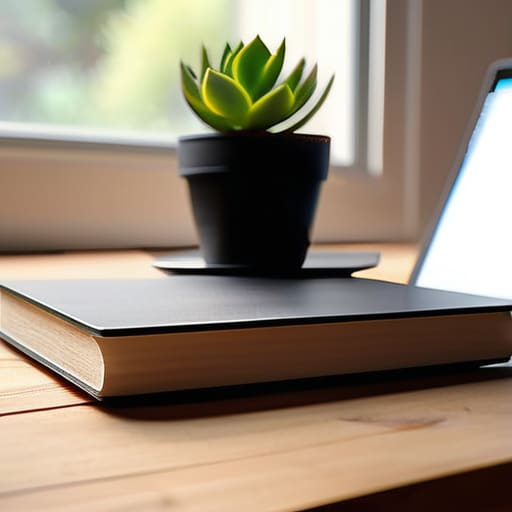
Now, let’s talk about the actual positioning of your gear. I used to sit in front of my laptop for hours, only to realize later that I looked like I was filming a low-budget horror movie from the bottom of a well. We’ve all been there—the dreaded “double chin” angle! To avoid this, you need to find the best camera angles for webcams by elevating your device. Grab a stack of those heavy business books you haven’t touched since college (or a dedicated laptop stand if you’re feeling fancy) and raise your camera until it is directly at eye level. This simple shift prevents that awkward upward tilt and makes you feel much more engaged with your audience.
While you’re adjusting your setup, take a quick peek at your surroundings. It’s not just about your face; it’s about your environment. I’m a huge fan of minimizing background distractions to keep the focus where it belongs: on you. A cluttered bookshelf or a pile of laundry in the corner can be a huge mental drain for your viewers. Try to find a neutral spot or even use a subtle blur effect to keep things looking polished and intentional.
A Simple Professional Video Call Lighting Setup
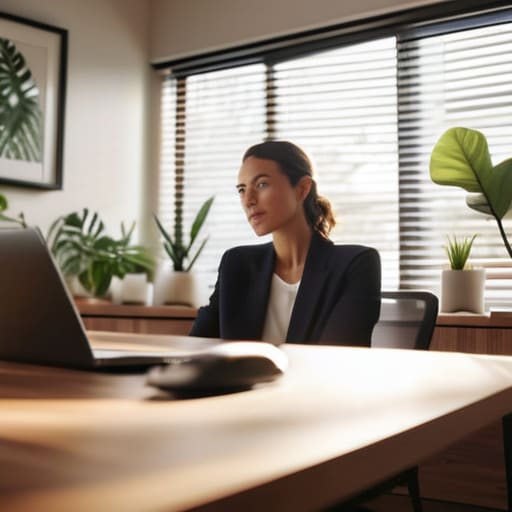
Now, let’s talk about the real game-changer: lighting. You don’t need to go out and buy a massive studio rig to achieve a professional video call lighting setup, I promise! Most of us make the mistake of sitting with a bright window directly behind us, which basically turns us into mysterious, dark silhouettes. Instead, try to face your light source. If you have a window, position yourself so the natural light hits your face directly. It’s the easiest way to boost your remote work professional appearance without spending a dime.
If you’re working in a room with less natural light, don’t panic—a simple desk lamp can do wonders. Just avoid pointing it directly at your forehead (unless you’re aiming for that “sweaty interrogation” look, which I definitely don’t recommend!). Instead, bounce the light off a wall or use a piece of white paper to diffuse it. This soft, even glow helps smooth out shadows and makes you look much more polished and approachable during those long afternoon meetings.
Five Tiny Tweaks for a Polished Presence
- Don’t forget the magic of a clean lens! I know it sounds silly, but I used to wonder why my video looked so foggy until I realized my laptop was covered in fingerprints. A quick wipe with a microfiber cloth makes a world of difference in clarity.
- Keep your eyes on the digital “eye contact.” It feels natural to look at the person’s face on your screen, but if you look directly into that tiny camera lens while speaking, it actually feels like you’re looking right at them. It’s a small shift that builds way more connection.
- Mind your background clutter. You don’t need a fancy home office, but a quick tidy-up helps keep the focus on you rather than that pile of laundry or the stack of mail on your desk. If things are really chaotic, a subtle blur filter is your new best friend!
- Dress for the vibe you want to set. You don’t need a full suit (I’m definitely not wearing trousers under my desk!), but wearing a solid, colorful top can prevent you from blending into your background and help you feel more “switched on” for work.
- Test your audio before the big meeting. There is nothing more stressful than joining a call and realizing you’re on mute or your mic is echoing. I always do a quick 30-second tech check—it saves so much “can you hear me now?” awkwardness!
Quick Wins for Your Next Meeting
Don’t underestimate the power of a little natural light; just scooting closer to a window can instantly brighten your face and make you look way more energized!
Stop looking down at your laptop! Propping your webcam up to eye level makes a world of difference in how you present yourself to the world.
Remember, it’s all about those small, manageable tweaks—you don’t need a professional studio setup to look polished and ready to take on the day.
The Secret to Video Call Confidence
“At the end of the day, looking good on camera isn’t about having a Hollywood studio setup; it’s about those tiny, intentional tweaks that make you feel present, polished, and ready to actually connect instead of just staring at a screen.”
Emily Carter
You've Got This!

At the end of the day, looking your best on camera doesn’t require a Hollywood studio or a massive budget. It really comes down to those tiny, intentional tweaks we’ve talked about—finding that sweet spot for your camera angle so you aren’t staring down at your chin, and positioning yourself near a window to catch that gorgeous, natural glow. When you combine a solid angle with a bit of smart lighting, you’re not just improving your video quality; you’re actually projecting more confidence and making it much easier for your colleagues to engage with you. It’s all about setting the stage so your personality can truly shine through the screen.
I know that when you’re juggling a million tasks, obsessing over your webcam setup might feel like just one more thing on an already overflowing to-do list. But I promise you, these small shifts are such a worthwhile investment in your professional presence. Remember, the goal isn’t perfection—it’s about feeling prepared and comfortable in your own digital space. Once you nail these basics, you can stop worrying about how you look and start focusing on what really matters: making meaningful connections. So, go ahead, adjust that light, smile at the lens, and go crush that next meeting!
Frequently Asked Questions
What should I do if my background is super messy and I don't have a dedicated office space?
Don’t panic—I’ve definitely had those “emergency meetings” while sitting in a pile of laundry! If you don’t have a dedicated office, lean into technology. Use a subtle blur effect or a clean, professional virtual background to hide the chaos. If you can, just pivot your chair toward a plain wall or a tidy bookshelf. It’s all about creating a tiny, intentional “zone” that says professional, even if your desk is currently a disaster!
Are there any quick tech tweaks or settings I can change to make my video quality look less grainy?
If you’re feeling a bit “pixelated,” don’t panic! First, check your app settings—Zoom and Teams often default to “Standard Definition” to save bandwidth. Switch that to HD immediately. Also, if you’re using a laptop, try plugging in an external webcam; even a budget one usually beats a built-in lens. Lastly, a quick tip from my spreadsheet-loving brain: ensure your internet connection is stable. A jittery connection is often the secret culprit behind that grainy look!
How do I stop myself from constantly staring at my own tiny video box instead of focusing on the person talking?
Oh, I feel this one in my soul! I used to spend half my meetings obsessing over whether my hair looked okay or if I had a rogue piece of spinach in my teeth. My secret weapon? “Hide Self-View.” Most platforms like Zoom have this setting, and once you click it, that tiny mirror disappears. It’s a total game-changer for your focus—and honestly, it’s much more relaxing to just listen!