Have you ever been right in the middle of a deep-work flow, or perhaps halfway through a much-needed recipe search, only to have that dreaded spinning loading icon mock you from the screen? It’s incredibly frustrating, especially when you feel like you’re doing everything right. I used to think that whenever I struggled with how to fix slow wifi, I’d have to drop a few hundred dollars on a fancy new router or call a technician to come pry open my walls. But honestly? Most of the time, the solution isn’t a massive expense, it’s just a few small, intentional adjustments to your current setup.
I’m not here to overwhelm you with technical jargon or sell you on some overpriced hardware you don’t actually need. Instead, I want to share the practical, bite-sized shifts that actually work—the kind of stuff I’ve learned from my own trial and error while managing a freelance business from my tiny NYC apartment. We’re going to walk through some simple, no-nonsense tweaks to get your connection back in shape so you can stop fighting your router and get back to what actually matters.
Table of Contents
Smart Wifi Router Placement Tips for a Peaceful Home
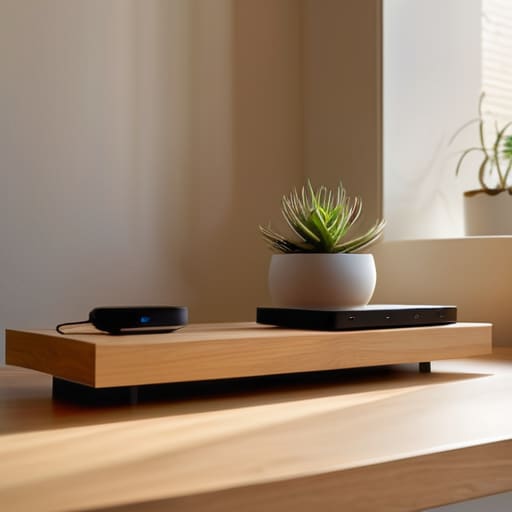
Think of your router like a centerpiece in a room; if you tuck it away in a dusty corner or hide it inside a heavy wooden cabinet, you’re essentially asking for trouble. I used to keep mine tucked behind my TV in the living room, thinking it looked neater, but my internet was constantly lagging. After doing a little digging, I realized that wifi router placement tips often boil down to one simple rule: give it some breathing room! Ideally, you want your router in a central, elevated location. Placing it on a high shelf helps the signal radiate downward and outward more effectively, rather than getting absorbed by your sofa or floor.
You also want to be mindful of what’s surrounding your device. Metal objects, thick concrete walls, and even your microwave can reduce wireless interference and create those annoying dead zones. If you find that your signal is still struggling to reach your home office, it might be time to look into a wifi extender vs mesh network setup to bridge the gap. It’s all about creating a seamless flow of connectivity so you can focus on your work (or your favorite Netflix binge) without the digital headache.
Using Internet Speed Test Results to Find Your Calm

Now, before we go diving into any major hardware changes, I want you to take a deep breath and grab your laptop. Sometimes, we spend so much time stressing about the “why” that we forget to actually look at the data. I’m a huge fan of a good spreadsheet (guilty as charged!), so I always recommend starting with some concrete internet speed test results. Think of this as your digital diagnostic checkup. Run a test right next to your router, and then run another one in the room where you usually feel the most frustration. If there’s a massive gap between those two numbers, you’ve just found your smoking gun!
Once you have those numbers in hand, you can stop guessing and start solving. If the speeds are consistently low everywhere, you might need to optimize router firmware or look into a wifi extender vs mesh network setup. However, if the speed is great near the router but drops off in the kitchen, it’s a clear sign that something is blocking your signal. Knowing these specifics helps turn that tech-induced anxiety into a manageable to-do list.
Five Simple Tweaks to Reclaim Your Digital Zen
- Give your router a quick “brain reset” by unplugging it for thirty seconds. It sounds silly, but just like I need my morning coffee to clear the mental fog, your router often needs a quick reboot to clear out its digital cobwebs and start fresh.
- Declutter your frequency by switching to the 5GHz band. If your router is dual-band, try moving your high-priority devices—like your laptop for work or your streaming stick—to the 5GHz lane. It’s like moving from a crowded sidewalk to a dedicated bike lane; it’s much smoother and faster.
- Audit your “bandwidth hogs.” We’ve all been there, but if you have three different devices running background updates or streaming high-def video simultaneously, your connection is going to feel the strain. I like to check my device list to see if anything is secretly stealing my speed in the background.
- Update your firmware to keep things running smoothly. Think of this as a little digital spa day for your hardware. Manufacturers release these updates to fix bugs and improve performance, so making sure your router is running the latest software can prevent a lot of unnecessary frustration.
- Consider a Wi-Fi extender or a mesh system if you have dead zones. If you find yourself chasing a signal around the house like a cat chasing a laser pointer, it might be time to invest in a little extra help. A mesh system can help create a seamless blanket of connectivity so you can work (or cook!) from any room with ease.
Quick Wins for a Faster, Stress-Free Connection
Think of your router as the heart of your digital home; give it some breathing room and a central location to keep the signal flowing smoothly without the drama.
Don’t guess when it comes to your speed—run a quick test to see if you’re actually getting what you’re paying for, so you can tackle the real culprit instead of chasing ghosts.
Remember that small, intentional shifts, like updating your hardware or managing connected devices, can turn your digital chaos back into a streamlined, productive workspace.
Finding Your Digital Flow
“Think of your Wi-Fi like your kitchen organization—it doesn’t always need a complete overhaul; sometimes, it just needs a little bit of strategic repositioning to help everything flow smoothly again.”
Emily Carter
Finding Your Digital Flow
At the end of the day, fixing slow Wi-Fi isn’t just about technical specs or chasing the highest numbers on a speed test; it’s about reclaiming your time and reducing that tiny, nagging layer of daily friction. We’ve looked at how moving your router to a central, open spot can make a world of difference and how using those speed tests can help you identify exactly where the bottleneck is happening. Whether it’s a simple hardware repositioning or a deeper dive into your connection stats, remember that these small, intentional adjustments are the keys to turning digital chaos into digital calm.
I know how frustrating it feels when you’re right in the middle of a flow state—maybe you’re finishing a freelance project or finally settling in to stream a much-needed show—and the spinning loading icon just ruins the moment. But don’t let a sluggish connection dampen your spirit. Treat these tech hiccups as just another opportunity to implement a small, practical shift that makes your life run a little smoother. You’ve got this, and once you get your setup dialed in, you’ll be back to navigating your world with ease and a smile.
Frequently Asked Questions
I've tried moving my router, but my signal is still dropping in the bedroom—could my thick walls be the real culprit?
Ugh, the dreaded thick walls! I’ve been there, and honestly, it’s such a headache when you’ve already tried the whole “moving the router” dance. Those heavy walls are basically signal assassins. If your bedroom is a dead zone, you might need to look into a mesh Wi-Fi system or a simple range extender. Think of it like adding a little extra boost to help your connection navigate those obstacles without losing its cool!
Is it actually worth spending money on a fancy new mesh system, or can I fix this with a simple settings tweak?
Honestly, it’s a bit of a toss-up! Before you drop a chunk of your budget on a fancy mesh system, let’s try the “spreadsheet approach” to your home: map out your dead zones. If the signal is just struggling through a single thick wall, a quick settings tweak or a cheap extender might do the trick. But, if you’re living in a sprawling space with constant dropouts, investing in mesh is definitely worth the peace of mind.
How do I know if my slow speeds are actually my internet provider's fault versus just too many devices hogging the bandwidth?
This is the age-old question, isn’t it? To figure this out, I like to run a little “bandwidth audit.” First, turn off every single device in your house except for one. Run a speed test. If it’s still crawling, it’s likely your provider’s fault. But, if that one device flies while your smart fridge and gaming console are connected, you’ve simply got a digital traffic jam! Time to look into a better router or a plan upgrade.