
It was 11:45 PM on a Tuesday, and I found myself staring at a recipe for miso-glazed eggplant on my phone, my eyes stinging and my neck feeling like it had been fused into a permanent slouch. I wasn’t even hungry anymore; I was just stuck in the infinite scroll. We’ve all been there, haven’t we? We try to find a magic solution for how to reduce screen time, but then we’re told we need to buy a $200 “dumb phone” or go on a week-long digital detox in the woods. Honestly? That is total nonsense. You don’t need to move to a cabin in Vermont to reclaim your brain; you just need a few realistic tweaks that actually fit into a busy, messy life.
I’m not here to give you a lecture on willpower or sell you an expensive productivity app. Instead, I want to share the tiny, practical shifts that actually worked for me—the kind of stuff I’ve tested while balancing freelance deadlines and my own chaotic kitchen experiments. We’re going to look at small, manageable wins that help you put the phone down without feeling like you’re missing out on the world. Let’s get into it.
Table of Contents
Recognizing the Subtle Smartphone Addiction Symptoms

Before we dive into the “how-to” part, we have to get honest with ourselves about where we actually stand. It’s rarely a sudden realization; instead, it’s these tiny, almost invisible habits that creep up on us. For me, it was that frantic, Pavlovian urge to reach for my phone the second I felt a millisecond of boredom—even while waiting for my coffee to brew. If you find yourself reflexively checking notifications that don’t even exist, or if you feel a strange sense of phantom anxiety when your battery hits 10%, you might be noticing some common smartphone addiction symptoms.
It’s also about how it affects your physical and mental rhythm. Have you ever laid in bed, eyes stinging, only to realize you’ve been scrolling for an hour? That’s not just a lack of willpower; the blue light effects on sleep are real and can totally wreck your ability to recharge. When your brain feels like it has fifty tabs open at once, it’s a major sign that you’re struggling with managing digital distractions. Recognizing these patterns isn’t about guilt; it’s about gathering the data we need to make those small, intentional shifts.
Managing Digital Distractions for a Calmer Morning
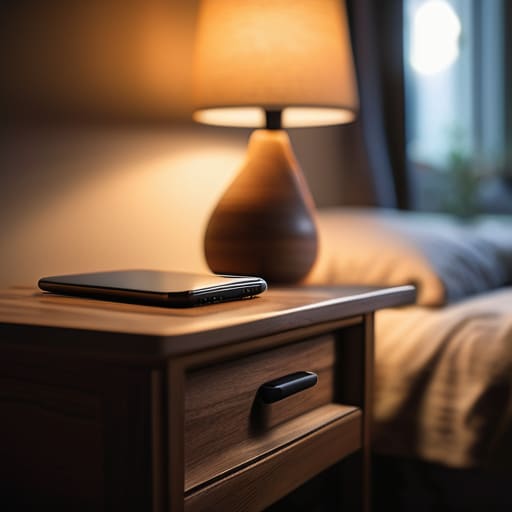
I used to be the person who reached for my phone before my eyes were even fully open. I’d spend the first twenty minutes of my day spiraling through news headlines or Instagram feeds, and by the time I actually got out of bed, I already felt behind. It’s a tough cycle to break, but I’ve found that managing digital distractions starts the very night before. One of my favorite tiny shifts is charging my phone in the kitchen instead of on my nightstand. It sounds simple, but it creates a physical barrier that prevents that reflexive midnight scroll.
If you’re looking for ways to reclaim your headspace, try implementing a “no-phone zone” for the first thirty minutes of your morning. Instead of letting notifications dictate your mood, use that time to actually connect with yourself—whether that’s sipping coffee, journaling, or even just staring out the window while your brain wakes up. Developing these healthy screen time habits early on is a total game-changer for your mental clarity. It turns your morning from a reactive scramble into a proactive, peaceful start to your day.
Five Tiny Tweaks to Reclaim Your Real Life
- Try the “Grey Mode” trick. I know, it sounds boring, but turning your phone’s display to grayscale makes those colorful, dopamine-triggering app icons look way less appetizing. It’s amazing how much less I want to scroll when Instagram looks like a vintage newspaper!
- Create “Tech-Free Zones” in your home. For me, the dining table and the bedroom are sacred. By deciding that certain spaces are strictly for eating or sleeping, you stop the mindless scrolling from bleeding into the moments that actually matter.
- Use the “Out of Sight, Out of Mind” rule. If you’re working or trying to relax, don’t just flip your phone face down—tuck it in a drawer or leave it in another room. If you can’t see that little glowing screen, the urge to check it drops significantly.
- Curate your notifications like you’re organizing a high-stakes spreadsheet. Go into your settings and turn off everything that isn’t from a real human being. You don’t need a buzz in your pocket every time a random app has a “special offer” or a news alert.
- Replace the “Scroll Reflex” with a physical substitute. We often grab our phones just because our hands feel idle. Keep a book, a journal, or even a deck of cards nearby. When you feel that itch to check your phone, reach for something tactile instead.
Small Wins for a More Balanced Day
Start by noticing those tiny “reflex” moments—like reaching for your phone the second you wake up or while waiting for coffee—and try to replace them with just one minute of breathing or stretching instead.
Create digital boundaries that actually stick, such as setting a “tech curfew” an hour before bed or using grayscale mode to make those addictive apps look a lot less tempting.
Remember that this isn’t about perfection or deleting every app you own; it’s about making intentional choices so your devices serve you, rather than the other way around.
Reclaiming Your Real Life
“We don’t need to throw our phones into the Hudson River to find balance; we just need to stop letting them dictate the rhythm of our actual lives. It’s about trading those mindless scrolls for moments that actually make us feel alive.”
Emily Carter
Finding Your Digital Rhythm

At the end of the day, reclaiming your time isn’t about throwing your smartphone into the East River or living like a hermit. It’s about those small, intentional pivots we’ve talked about—from spotting those sneaky addiction symptoms to protecting your precious morning headspace. Whether you decide to set stricter app limits or finally commit to a “no-phone zone” during dinner, remember that progress over perfection is the name of the game. I know I’ve spent way too many nights scrolling through endless feeds when I should have been reading or, you know, actually sleeping, so I promise you that even tiny shifts can make a massive difference in how much control you feel you have over your day.
As you move forward, try to view your digital detox not as a chore, but as a way to make more room for the things that actually make you feel alive. I want you to imagine all that extra time you’ll gain—time for a new recipe, a long walk, or just sitting in silence without the urge to check a notification. You deserve a life that is lived in high definition, not just through a five-inch glass screen. So, take a deep breath, put the phone down, and go find some magic in the real world. You’ve totally got this!
Frequently Asked Questions
How do I handle the "FOMO" or anxiety that hits when I actually put my phone away for a few hours?
Ugh, the FOMO is real. I used to feel like if I wasn’t scrolling, I was missing a life-altering update or a hilarious meme. Honestly? The trick is to realize that most “urgent” notifications can actually wait. Try reframing it: you aren’t missing out on the digital noise; you’re tuning in to your actual life. Grab a cookbook or a physical book instead—give your brain a different, more satisfying way to engage.
Are there any specific apps or tools you recommend that don't just feel like another digital distraction themselves?
I totally get that—the last thing we need is to download a “productivity app” that just ends up being another colorful icon begging for our attention! I’m a huge fan of Forest; it turns staying off your phone into a little game where you grow virtual trees. If you want something more low-key, I swear by the “Screen Time” settings already built into your phone. Sometimes the best tool is the one that doesn’t require an extra download!
How can I stay disciplined with these changes when my job or social life practically requires me to be online?
I totally get it—this isn’t just about scrolling through memes; sometimes your livelihood is literally on that screen. I used to feel so guilty about it! My trick? I stopped trying to “unplug” and started setting “digital boundaries.” Think of it like a color-coded schedule. Use “Focus Modes” to silence non-work pings during deep work, and try a “social sunset” where you put the phone away an hour before bed. It’s about intentionality, not isolation.