Ever feel like your brain has too many browser tabs open at once? I’ve been there—especially during my corporate consulting days when my to-do list felt less like a plan and more like a never-ending mountain of chaos. We’ve all tried that “hustle harder” approach, only to end up feeling completely burnt out by Tuesday afternoon. I realized early on that the secret isn’t working more hours; it’s about finding the right digital sidekicks to handle the heavy lifting. Finding the best productivity apps isn’t about downloading every shiny new tool on the App Store, though; it’s about finding those specific, streamlined solutions that actually give you your time back instead of adding more digital clutter to your life.
In this post, I’m stripping away the fluff to share my personal toolkit of five absolute game-changers. I’ve tested dozens of platforms (and probably created way too many color-coded spreadsheets in the process) to narrow it down to the ones that truly work. You’re going to learn which tools can help you declutter your mental space, master your schedule, and finally reclaim those precious moments of calm in your busy day. Let’s dive in!
Table of Contents
My Digital Brain, Notion
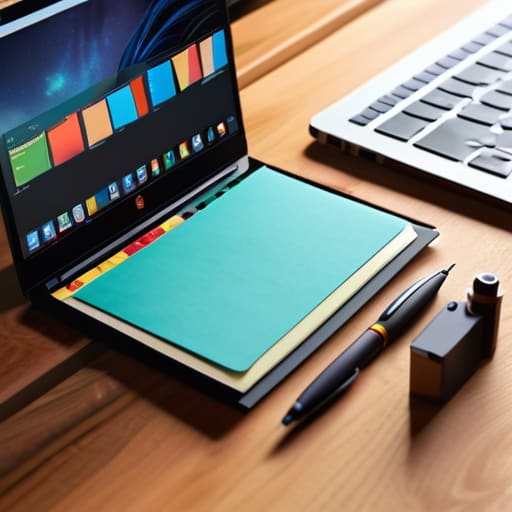
If you were to peek at my laptop right now, you’d see a labyrinth of color-coded databases, and honestly, a huge part of that is thanks to Notion. I used to struggle with having my notes in one place, my project timelines in another, and my grocery lists scattered across random scraps of paper. Notion changed the game for me because it’s essentially a blank canvas where I can build a system that actually fits how my brain works, rather than forcing myself into a rigid template.
The Simple Joy of Todoist
Sometimes, we don’t need a complex ecosystem; we just need a way to get the tasks out of our heads and onto a list. That’s where Todoist comes in for me. When my corporate consulting days were still in full swing, I needed something fast and uncomplicated to manage a million moving parts. It’s incredibly satisfying to type out a task, hit enter, and feel that tiny hit of dopamine when I finally check it off at the end of the day.
Finding Flow with Forest
We’ve all been there: you sit down to do some deep work, and suddenly you’ve spent forty-five minutes scrolling through social media. I used to be the queen of digital distractions, especially when I was transitioning into freelance life and working from my small NYC apartment. Forest turned my struggle with phone addiction into something that actually feels rewarding. The concept is simple: you plant a virtual tree, and if you stay off your phone, that tree grows.
Taming the Calendar with Google Calendar
I’m a firm believer that if it isn’t on the calendar, it doesn’t exist. My life would be a total whirlwind of missed appointments and forgotten deadlines if it weren’t for Google Calendar. I’ve become a bit of a pro at time-blocking, which is a fancy way of saying I schedule specific chunks of time for specific tasks. It prevents me from overcommitting and helps me visualize exactly how much “me time” I actually have left in a day.
Staying Sharp with Obsidian
For the thinkers, the researchers, and the people who love to connect the dots, Obsidian is like magic. I started using it when I realized my freelance writing required a much deeper level of knowledge management than I was currently practicing. Unlike traditional note-taking apps that keep everything in isolated folders, Obsidian allows you to create links between notes, effectively building a “second brain” that grows more intelligent the more you use it.
Finding Your Flow: My Final Thoughts
Don’t feel like you have to download every single app on this list; pick just one that speaks to your current biggest struggle and master it before moving on.
Remember that tools are meant to serve you, not the other way around—if an app starts feeling like a chore rather than a helper, it’s time to hit delete.
The real magic happens in the small, consistent habits you build around these tools, so focus on progress over perfection.
My Golden Rule for Tech
“At the end of the day, the best productivity app isn’t the one with the flashiest features or the most complex integrations—it’s the one that actually makes you feel less overwhelmed and more in control of your own time.”
Emily Carter
Finding Your Own Flow
At the end of the day, whether you’re leaning on a heavy-duty task manager to keep your freelance projects on track or just using a simple timer to stop yourself from doomscrolling, the goal is the same: reclaiming your time. We’ve looked at a handful of tools that can help you organize your brain, manage your calendar, and finally tackle that mounting to-do list without feeling like you’re drowning. Remember, the “best” app isn’t necessarily the one with the most bells and whistles or the prettiest interface; it’s the one that actually fits into your unique rhythm without adding more stress to your plate.
I know how easy it is to fall into the trap of “productivity porn”—spending three hours setting up a gorgeous, color-coded system only to realize you haven’t actually done any work. Don’t let the tools become the task. My biggest piece of advice? Pick one, try it for a week, and see how it feels. Productivity should serve your life, not the other way around. You deserve to move through your day with a sense of intentionality and calm, rather than just constant frantic motion. You’ve got this, and I’m rooting for you every step of the way!
Frequently Asked Questions
How do I decide which app is actually worth my time without getting sucked into a "productivity rabbit hole" of constant setup?
Oh, the “productivity rabbit hole”—I have fallen down that one more times than I’d like to admit! My rule of thumb? If you spend more time color-coding the interface than actually doing the work, it’s a trap. Pick one app, give yourself a strict 20-minute setup window, and then stop. If it doesn’t feel intuitive within a few days, ditch it. The tool should serve your life, not become a second job.
Are there any good free options that don't feel like they're constantly begging me to upgrade to a premium subscription?
Ugh, I feel this in my soul. There is nothing more draining than opening an app only to be met with a giant, flashing “UPGRADE NOW” pop-up. It totally kills my flow! If you’re looking for some breathing room without the constant sales pitch, I’d highly recommend checking out Notion or Google Keep. They are incredibly robust for free, and they actually let you get things done without feeling like you’re being hunted by a subscription model.
Can I actually sync these tools across my phone and laptop so I'm not constantly switching devices to stay on track?
Oh, I hear you! There is nothing that kills my momentum faster than having to manually type something twice because my devices aren’t talking to each other. Luckily, the short answer is a resounding yes. Almost all the tools I mentioned are built for seamless syncing. As long as you’re logged into the same account, your lists and tasks will jump from your laptop to your phone instantly. It’s one of those small tech wins that makes life so much smoother!