
I still remember sitting in a glass-walled conference room during my corporate consulting days, surrounded by people paying hundreds of dollars for “revolutionary” digital planners and high-tech tablets. They were all frantically typing away, yet when I asked them to summarize the meeting ten minutes later, they looked completely lost. It turns out, most of the fancy note taking methods being sold to us are just expensive ways to distract ourselves from actually listening. We’ve been led to believe that if we aren’t using a complex system with endless tags and nested folders, we’re somehow failing at being productive.
I’m here to tell you that’s total nonsense. I’ve spent years testing everything from color-coded spreadsheets to the simplest scraps of paper, and I’ve learned that the best system is the one that actually clears your mental clutter rather than adding to it. In this guide, I’m stripping away the hype to share the practical, low-stress note taking methods that actually work for real life. No expensive subscriptions or steep learning curves required—just small, actionable shifts to help you reclaim your focus and find your flow.
Table of Contents
The Magic of Digital vs Analog Note Taking
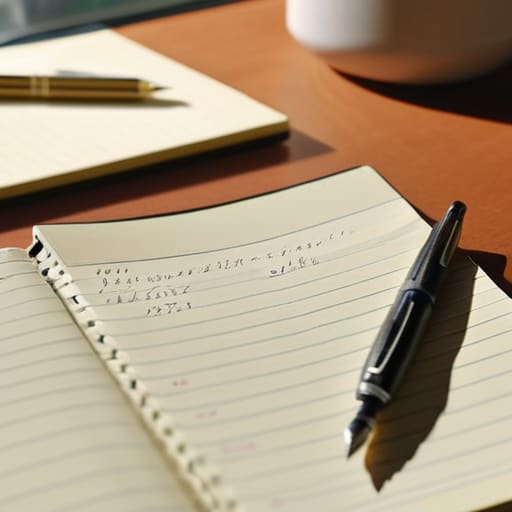
I’ve spent years oscillating between the two, and honestly, my desk usually reflects that chaos—half covered in sticky notes and half cluttered with my tablet. When we talk about digital vs analog note taking, it’s not really about which one is “better” in a vacuum; it’s about what your brain needs in that specific moment. There’s something incredibly grounding about the tactile feel of a pen gliding across paper. It slows me down, which is a lifesaver when I’m trying to practice active listening techniques during a fast-paced meeting or a deep conversation.
On the flip side, if I’m diving into a massive research project, I crave the sheer efficiency of digital tools. The ability to search, tag, and instantly sync my thoughts across devices is a total game-changer for my workflow. While I love the organic flow of sketching out visual note taking strategies in a physical journal, I can’t deny that the organization a digital setup provides keeps me from feeling completely overwhelmed. It really comes down to finding that sweet spot where your tools actually serve your focus rather than distracting from it.
Mastering the Cornell Note Taking System
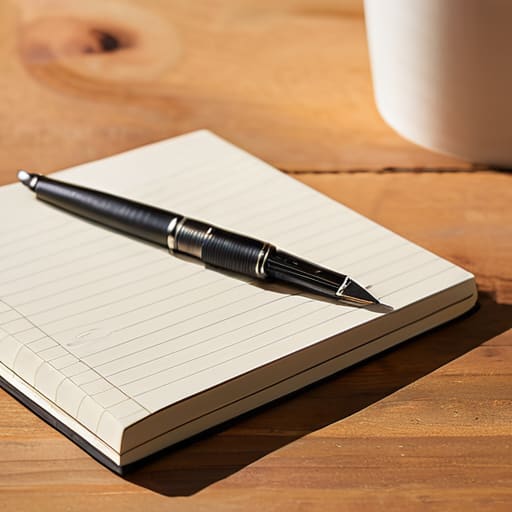
If you’ve ever sat through a meeting or a lecture and realized your notes are just a giant, incoherent wall of text, the Cornell note taking system is about to become your new best friend. I used to struggle with this constantly—just scribbling everything down in a frantic race to keep up—until I realized that true learning happens in the processing, not just the recording. The beauty of this method lies in its structure: you divide your page into three distinct sections: a narrow left column for cues, a wider right column for your actual notes, and a dedicated space at the bottom for a summary.
This isn’t just about being tidy; it’s one of those effective study habits that actually forces you to engage with the material in real-time. Instead of being a passive observer, you’re actively searching for key themes to pop into that left-hand column. When you sit down later to review, you aren’t just re-reading; you’re testing yourself by looking at your cues and trying to recall the details. It turns a chaotic page of scribbles into a structured roadmap for your brain.
5 Tiny Tweaks to Make Your Notes Actually Work for You
- Don’t be afraid to get messy. I used to think my notes had to look like a pristine textbook, but honestly? A few scribbles, arrows, and even a little doodle can help your brain make connections that a perfectly typed sentence just can’t capture.
- Use a “Review Ritual.” My color-coded spreadsheets won’t save me if I never look at my notes again! Set aside just ten minutes at the end of the week to skim through what you’ve jotted down; it turns a pile of random thoughts into actual, usable knowledge.
- Embrace the power of shorthand. You don’t need to write every single word like you’re transcribing a legal deposition. Pick a few symbols—like an asterisk for “important” or a question mark for “needs follow-up”—and watch how much faster your hands can keep up with your brain.
- Color-code your chaos. Since I can’t help myself, I’ll admit: using different colored pens or digital highlighters is a game changer. Try using one color for key concepts and another for action items so your eyes can jump straight to what matters most.
- Context is king. When you’re jotting something down, always include a quick note on the “when” and “where.” Knowing a brilliant idea came to you while you were making experimental Thai curry helps ground that thought so you can actually find it when you need it later!
Making It Stick: My Top Three Lessons
Don’t get caught in “productivity paralysis”—there is no perfect system, only the one that actually works for your brain and your lifestyle.
Mix and match your tools; use digital for the heavy lifting and quick searches, but don’t underestimate the magic of a physical notebook for deep focus.
The real work happens after you write; a note-taking method is only as good as your willingness to review and refine it later.
A Little Perspective on the Process
“At the end of the day, the ‘perfect’ note-taking method doesn’t exist in a vacuum; it’s simply whichever tool helps you move those ideas from the chaos of your brain onto the page so you can finally breathe a little easier.”
Emily Carter
Finding Your Personal Rhythm
At the end of the day, there isn’t one “perfect” way to capture your thoughts—there is only the way that works for you. We’ve looked at the tactile satisfaction of analog journals, the seamless efficiency of digital apps, and the structured brilliance of the Cornell method. Whether you’re a fellow spreadsheet enthusiast who needs every detail color-coded or someone who just needs a quick scribble on a napkin to keep the ideas flowing, the goal remains the same: reducing the mental load. Don’t feel like you have to commit to one single system forever; sometimes, experimenting with different styles is exactly what you need to figure out how your brain actually processes information.
I know that staring at a blank page or a cluttered app can feel a little overwhelming, especially when life feels like it’s moving at a hundred miles an hour. But remember, note-taking isn’t about achieving some impossible standard of perfection; it’s about creating a little bit of breathing room for your brilliant ideas. Start small, be kind to yourself if a new system fails, and just keep tweaking. You are essentially building a toolkit for your future self, and I promise that those tiny, intentional shifts in how you capture your world will eventually lead to a much more organized and peaceful life. You’ve got this!
Frequently Asked Questions
How do I know if a specific method is actually working for me or if I'm just wasting time setting up the system?
Honestly, I’ve been there—staring at a beautiful, color-coded spreadsheet only to realize I haven’t actually done any work. Here’s my litmus test: if you can find what you need in under thirty seconds when you’re in a rush, it’s working. If you’re spending more time “organizing” the notes than actually using the information to make decisions or finish tasks, you’re just procrastinating with a fancy new system. Keep it functional, not just pretty!
Is it possible to mix digital and analog methods without things getting messy and disorganized?
Oh, I get this question all the time! Honestly, I used to be terrified of the “hybrid” approach because I thought it would just lead to a mountain of lost scraps of paper. But here’s the secret: it’s all about having a single “source of truth.” I use my analog notebook for messy brainstorming and quick thoughts, then I migrate the big stuff into my digital system every Sunday. It keeps the chaos contained!
What are some quick ways to organize my notes after a meeting so they don't just sit there and collect digital dust?
We’ve all been there—staring at a mountain of digital clutter and feeling that instant wave of overwhelm. To stop your notes from gathering “digital dust,” try the five-minute rule: immediately after a meeting, spend just a few minutes highlighting your top three action items and tagging them by project. I also love moving key takeaways into my color-coded task manager right away. It turns a messy brain dump into an actual roadmap!